Dear Reader,
As part of AALBC.com’s 2026 platform upgrade, we are simplifying how members access their accounts. AALBC is discontinuing third-party logins through Google, Facebook, Apple, and LinkedIn.
This change gives AALBC greater control over account access, improves site performance, reduces our reliance on third-party platforms, and supports our commitment to reader privacy and digital independence.
Your AALBC account and data are safe. Your Bookshelf, followed authors, reading activity, profile information, and other account data remain associated with your registered email address.
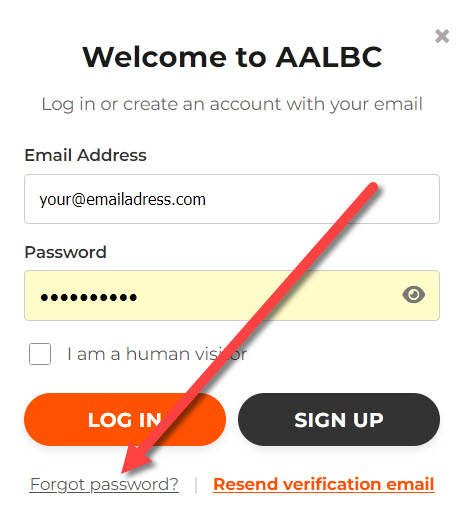
Use the AALBC login screen to create or reset your password.
Set Your AALBC Password
If you previously signed in with Google, Facebook, Apple, or LinkedIn, you will need to create an AALBC password. You will not lose anything associated with your existing account.
- Click Login.
- Select Forgot password?
- Enter the email address associated with the social login you originally used for AALBC.
- Look for an email from troy@aalbc.com and click Create / Reset Password.
- You will return to AALBC, where you can create a password and log in to your account.
That’s it. Going forward, simply use your email address and password to log in to AALBC.
Thank you for being a vital part of the AALBC community and for supporting an independent platform dedicated to Black books and authors.
Peace & Love,
Troy Johnson
Founder, AALBC.com