I'm often inspired by the things other people do. While checking out the Facebook profile of a recent contributor to my discussion board yesterday I noticed their company logo was directly underneath profile photo.
Initially I thought to myself, I did not know you could add an additional image underneath your Facebook profile photo. I quickly discovered that it was simply a single long vertical image which was being used. The image included a head shot, the person’s name and services in a nice prominent font, and the company logo.
I took it a step further by removing the background of my headshot, adding a drop shadow to my photo and finally image behind my headshot that matches the Facebook border, so that it seamlessly blends in with the page.
I used the effect on both my Facebook Profile page and my Facebook Fan page (or whatever they call those pages now). I think the resulting effect is pretty cool:
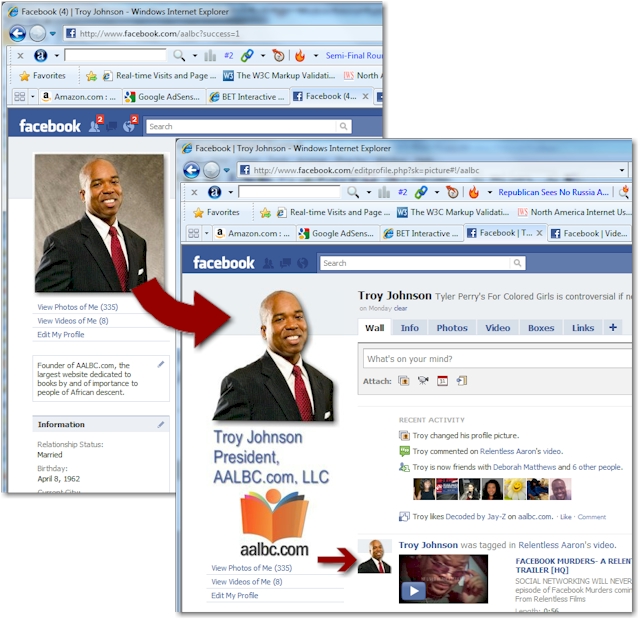

The image I used is 200 pixels wide. The length is up to you; everything else under the profile photo is simply pushed further down. However, I would not recommend exceeding 600 pixels in height; to minimize the scrolling required to see the rest of your information on the left had side of the page.
Facebook allows you to select a smaller area of the image to use as your avatar. In my case, I simply selected the area of the image containing my head shot on my profile page and my logo and URL on my Fan page.
Finally below is the graphic I used behind my head shot and company logo. It lines up perfectly with the current design of the Facebook template, which of course is subject to change at any time.