Tiffany
Members
-
Joined
-
Last visited
-
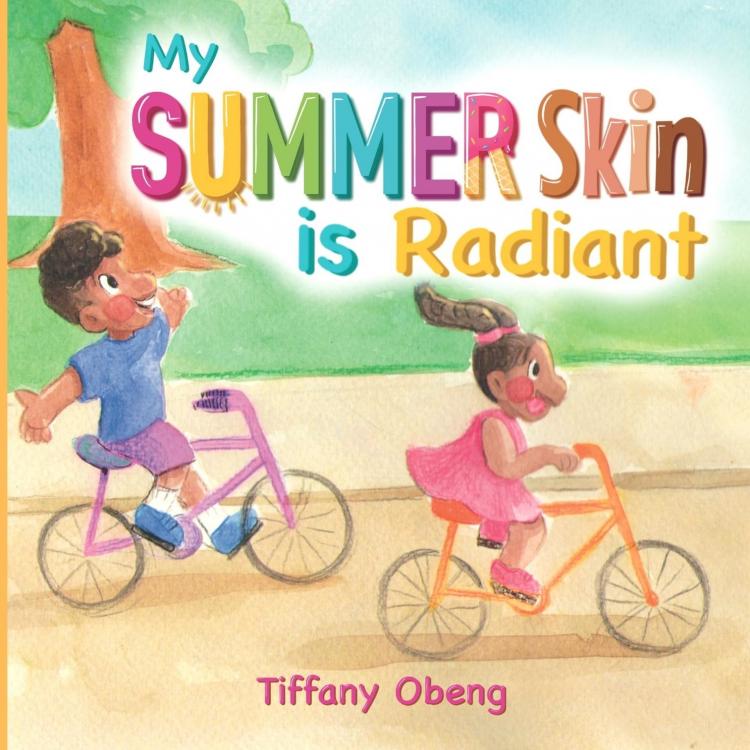
@Michel Montvert Thank you so much for your kind words! Thanks for sharing the story about the 4th graders; it is completely heartbreaking yet common. This book was born out of this past summer's experience. My son had been attending summer camp and coming home more and more tanned each day. My mom and I were constantly commenting about it until finally I realized, "Why?" Why did it matter? The answer is, it did not matter but for so long our community has been programmed to think that getting darker was not good. So, I did something about it and I truly hope it will resonate with all families. My mom actually came in from playing with my baby daughter at the park and I commented that my daughter's skin had gotten red from that little time outside. My mom replied upbeat, "Her summer skin is radiant" and I smiled so wide. I wish to hear this chant over and over again, as time goes on. Yes, you can see more of the book here: www.sugarcookiebooks.com/books. Let me know if you would like me to send you a copy.
-
Author Name: Tiffany Obeng (myself) Title: My Summer Skin is Radiant ISBN 13: 978-1959075028 Publication Date: e-book 8/2022, paperback 8/2022, hardcover forthcoming Book cover image: Attached Synopsis: Through gorgeous art and lyrical text, My Summer Skin is Radiant chronicles two children's summer days and delivers an empowering celebration of their darker summer skin tones. By the end of this book, everyone of all ages will be encouraged to love all shades of themselves and others.