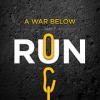
September 5, 201213 yr comment_6703 Hello AALBC! I wanted to let everybody know that the 2nd and 3rd books in my Underground Railroad fiction series are now available. You can find "A War Below: Hunt" and "A War Below: Pay" on Amazon, Apple and Barnes and Noble. MORE IMPORTANTLY: I'd like to let you know that 100% of net sales from the first three books in the series are going to three different charities: St. Jude Children's Research Hospital, Wounded Warrior Project and Help-Portrait. The AALBC was one of the biggest sources of visitors to my website when I released the first book in the series "A War Below: Run". To all of you that purchased the first book before I made the announcement regarding the charities, 100% of all past sales of that book were given to St. Jude's. So THANK YOU for all of the support from the members of the AALBC. I hope that all of you continue to support the series and support the amazing charities that benefit from the sales. Find info and links to the charities and links to the books in the Kindle Store, iBookstore and Nook Store on my website: http://www.awarbelow.com/ Thank you in advance for your continued support! Sincerely, Peyton Farquhar Report
September 6, 201213 yr comment_6713 Thanks Peyton for taking the time for sharing this information and sharing how AALBC.com assisted in effort. Peace, Troy Report



Create an account or sign in to comment