



- Open Club
- 2 members
- Rules
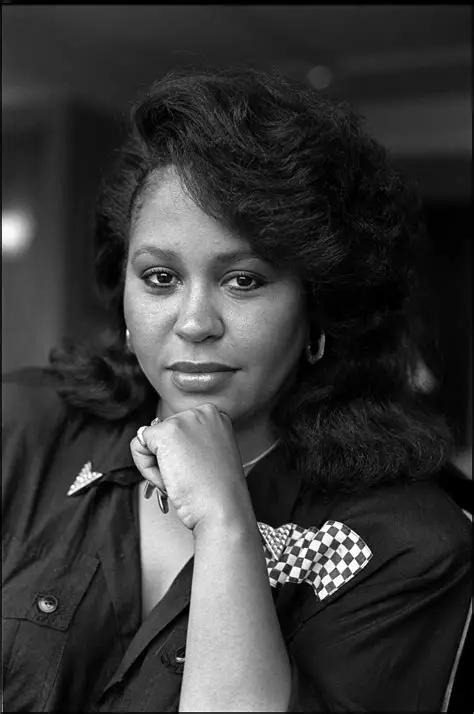
Vesta Williams born

Event created by richardmurray
This event begins 12/01/2025 and repeats every year forever
Vesta Williams
December 1st 1957 to Septemer 22nd 2011
Her work in the film Posse is so underrated
Tell Me
Written by Vesta Williams (as Vesta) and Louis Russell
Performed by Vesta Williams (as Vesta)
A&R [Direction] – Kevin Evans
Acoustic Guitar – John Jorgenson
Bass – Nathan East
Drums – Harvey Mason
Engineer [Assistant] – Nazeeh Islam, Rajean DeGrandmaison
Harp – Dino Soldo
Keyboards, Arranged By – Tim Heintz
Mixed By – Charlie Watts (2)
Producer – Vesta*
Producer [Additional] – Phillip Biff Vincent*
Producer, Keyboards, Arranged By, Mixed By – Michael Eckert
Lyrics
LIVE, lovely voice
Special
Lyrics from Vesta Williams, Attala Zane Giles
Sweet Sweet Love
Lyrics from Vesta Williams, Attala Zane Giles, William Matthew Osborne
Congratulations
Lyrics from Vesta Williams,Tena Clark,Gary Prim
Once Bitten Twice Shy
Lyrics from Vesta Williams, Dean Paul Gant
She is the background voice on Anita Baker's "You Bring Me Joy", it was not written by someone black.
Ride of Your Life
Written by Mario Van Peebles
Performed by Vesta Williams (as Vesta)
A&R [Direction] – Kevin Evans
Engineer [Assistant] – Rajean DeGrandmaison
Mixed By – Charlie Watts (2)
Producer – Mario Van Peebles
Producer [Additional] – Phillip Biff Vincent*
Producer, Keyboards – Michael Eckert
Lyrics
-
 1
1
User Feedback
There are no reviews to display.