



- Open Club
- 2 members
- Rules
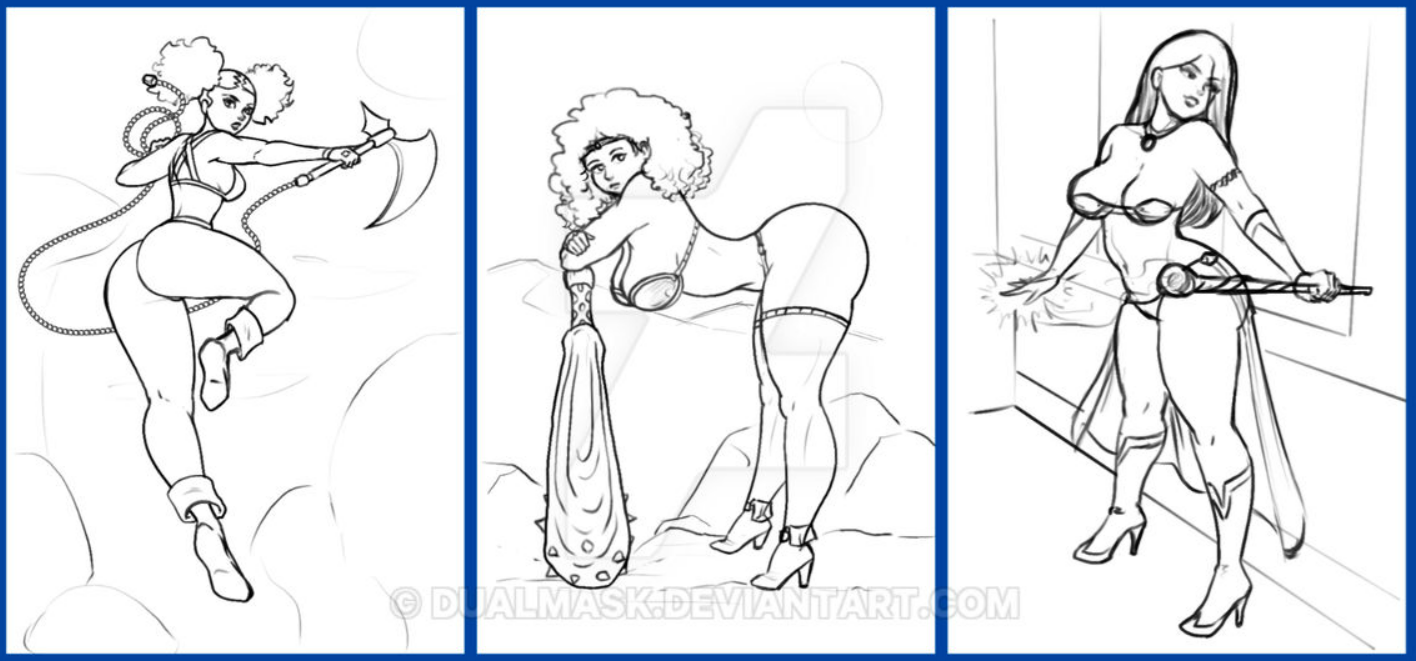
DualMask work in progresses ladies

Event created by richardmurray
This event begins 09/04/2025 and repeats every year forever

Work in progress 2 Which is your favorite?
the center + bottom right are the best covers for any mens magazine. That pose in the center, male fantasy. And all men love a woman to do a little ball play:)
but my personal favorite is the left center. It is a battle axe, the axe blade doesn't need to be so bearded cause the cutting motion from the top of the axe will get the area and less weight makes it easier to swing. The pike can be more dense which will make it better for armor. the short handle is slick making it ideal for close combat, but the chain , I like it , you can swing this ax and use as a whip gaining very nice distance:)
https://www.deviantart.com/dualmask/art/WIPs-set-2-1234842324
I couldn't resist
https://www.youtube.com/watch?v=M36j_mu6L-c
WIP set 1, have all been completed
https://www.deviantart.com/dualmask/art/WIPs-1232689278

an earlier sketch card
https://www.deviantart.com/dualmask/art/Sketch-Card-Plans-1221990444

AND EN EXTRA TREAT!!
Babes with no buttons an October Challenge
https://www.deviantart.com/dualmask/art/October-Art-Challenge-991195683

OF all the works, which is your favorite row?
I chose mine as the banner image from the following, top row in each image is 1
wip 1 - row 3
WIp 2- row 2
october - row 6
sketch card- row 2