



- Open Club
- 2 members
- Rules
The genesis of Storm

Event created by richardmurray
This event began 09/17/2026 and repeats every year forever
Interesting video on the genesis of storm
https://www.youtube.com/shorts/Uiw3p6CIF-c
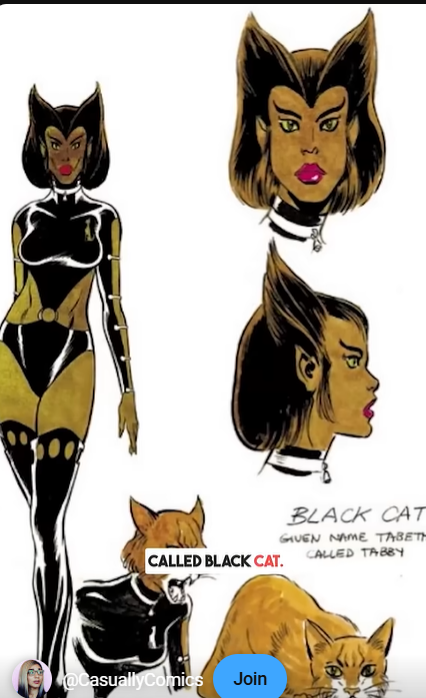
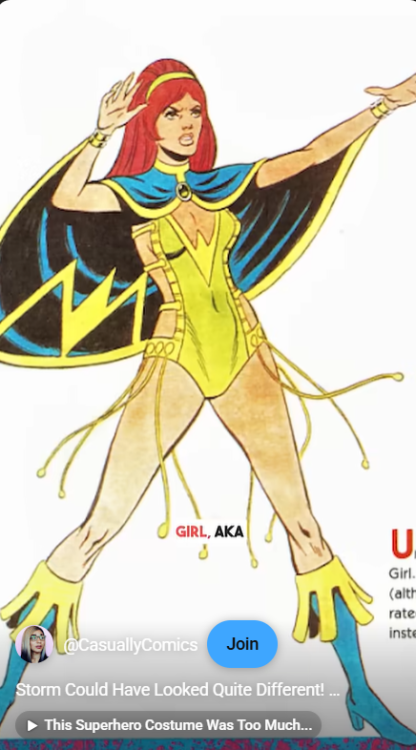
Her original base outfit is from the unused Black Cat, the arm straps are replaced with a cloak.
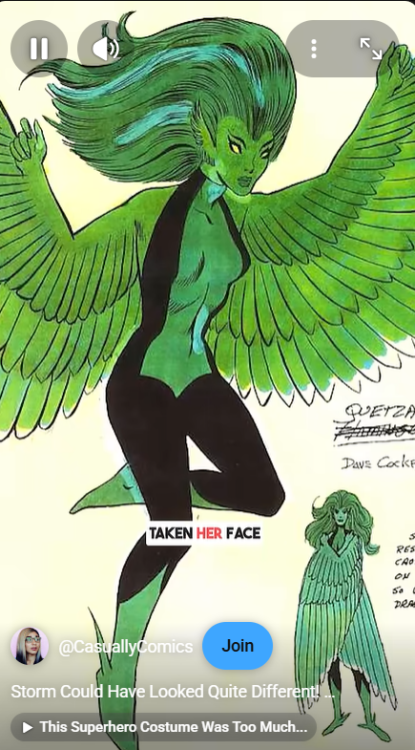
Her face is from quetzal, i wonder was quetzal supposed to be mexican?
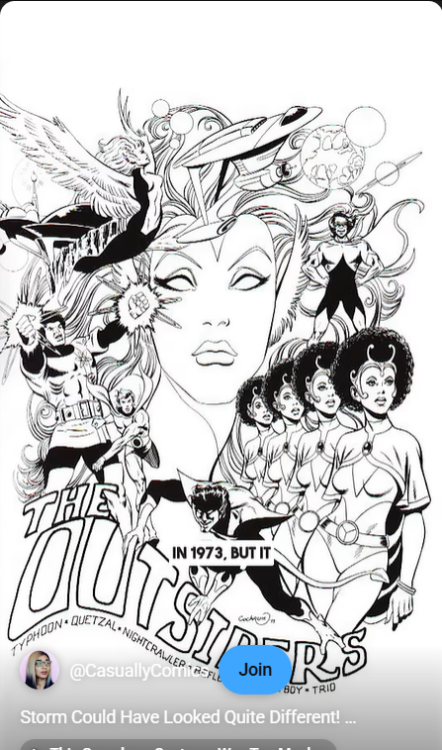
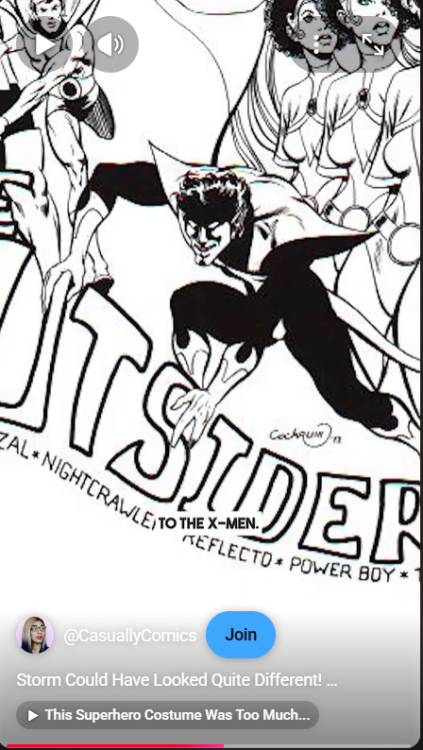
A bunch of characters from a similar team to Storm's Xmen, the Outsiders , who were meant to be a similar type of team to the DC comics Legionnaires. Nightcrawler was originally an alien, interesting, they made him a mutant.
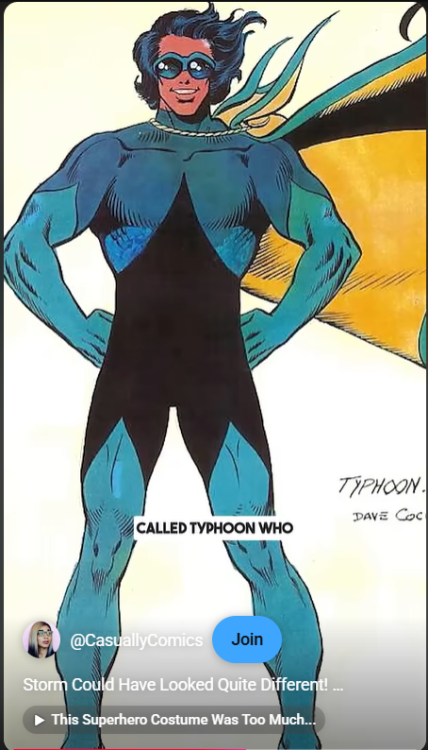
Typhoon from the outsiders made the base wind powers of storm.
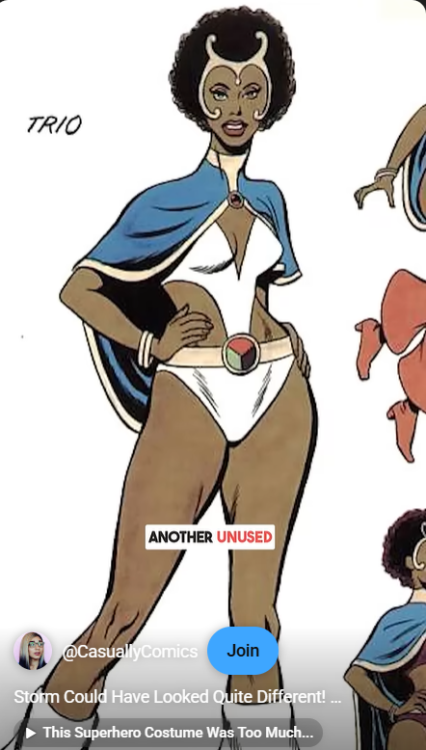
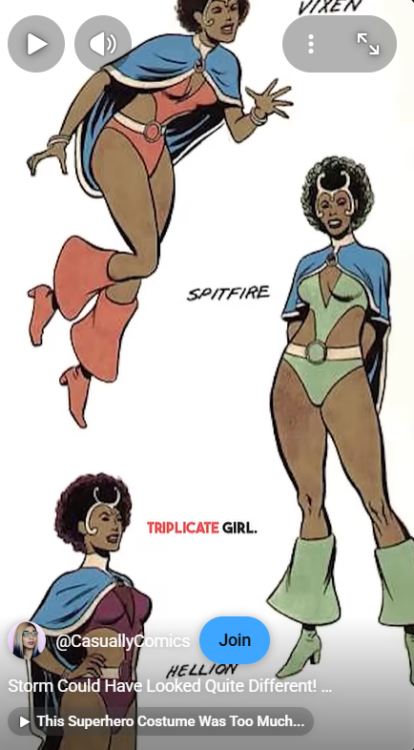
Trio of the outsiders made the top design. the facial crown and cape.
They use a jean grey form cape and extended it.
The artist fought to keep her distinctive white hair and that was long term huge.
One thing about Storm's Xmen is how distinctive they all are.
Storm who is very unique looking.
Wolverine and his three claws.
Colosss and his metal ribbed skin
Nightcrawler who is blue skinned and inhumanly shaped
I adit, I would like to see Trio as well. Silly DC.
User Feedback
There are no reviews to display.