


Leaderboard




Popular Content
Showing content with the highest reputation on 01/07/2020 in Posts
-
Thanks @Maurice! I just ordered the document.1 point
-
I receive email alerts from Shakespeare and Company in Paris and this link was included in their latest newsletter. https://www.ravenbookstore.com/how-resist-amazon-and-why1 point
-
1 pointYou're not wrong there. Sometimes,I'm sitting there with a particular album on and I think how lucky I am. A real and authentic age of music. This baby arrived less than a week ago and I'm giving it its first airing right now. WOW.1 point
-
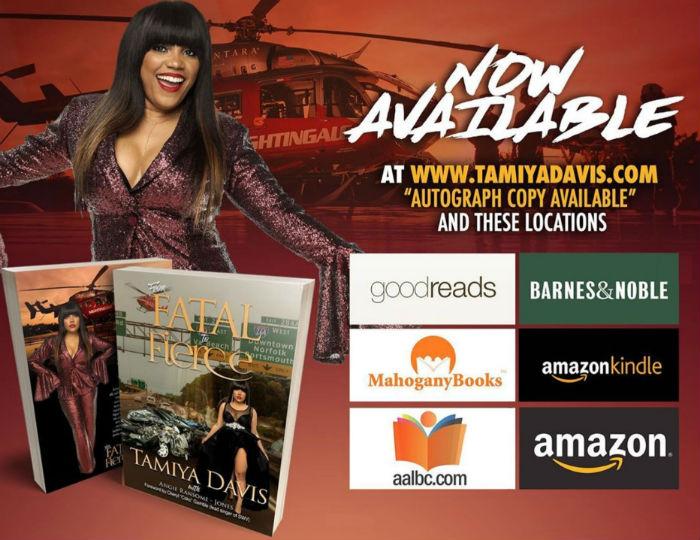
Here is a banner I stumbled upon researching information on another author. I met this author at a “Chitlin Circuit” event, Black Authors and Readers Rock back in October. Yeah, three Amazon properties are promoted in the banner, but — and this is a big but — the author, Tamiya Davis, also promotes two Black owned booksellers; AALBC and Mahogany Books (who was also at the event)! This is the first time that I've even seen an author actively highlight two Black owned booksellers as a place where one can buy her book, which chronicles her near-death experience, From Fatal to Fierce. Now Tamiya never sent me this banner, but it is obvious I'd be more inclined to support author's who do this. I'm sure my friends at Mahogany Books feel the same 🙂 @B.D.C., the only silly question is the one not asked.
 1 point