



Skip to content
View in the app

A better way to browse. Learn more.

African American Literature Book Club

A full-screen app on your home screen with push notifications, badges and more.

To install this app on iOS and iPadOS
  1. Tap the Share icon in Safari
  2. Scroll the menu and tap Add to Home Screen.
  3. Tap Add in the top-right corner.
To install this app on Android
  1. Tap the 3-dot menu (⋮) in the top-right corner of the browser.
  2. Tap Add to Home screen or Install app.
  3. Confirm by tapping Install.

Leaderboard

Popular Content

Showing content with the highest reputation on 03/21/2025 in all areas

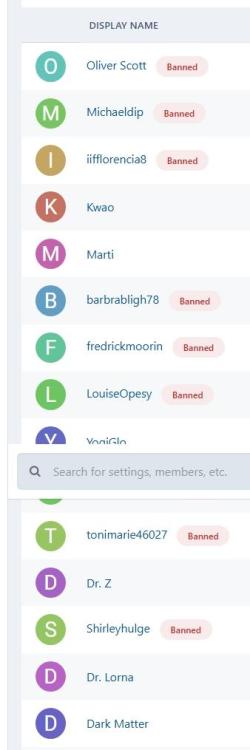
  1. Below are the signups since the last newsletter went out. As you can see, I banned most of the accounts out of the gate. This is typical. I believe there are only two new accounts as a direct result of my outreach. The outreach has to be a sustained effort. There were more than 2K new views on the "Child Rearing 50s Style," most of that was from views it would have gotten any way from search. There was a brief bump in the number of views on the "Do We Really Need 'The ReidOut?'” (none of which came from organic search, which will take more time, if it ever happens).
Account

Navigation

Search

Search

Configure browser push notifications

Chrome (Android)
  1. Tap the lock icon next to the address bar.
  2. Tap Permissions → Notifications.
  3. Adjust your preference.
Chrome (Desktop)
  1. Click the padlock icon in the address bar.
  2. Select Site settings.
  3. Find Notifications and adjust your preference.
