




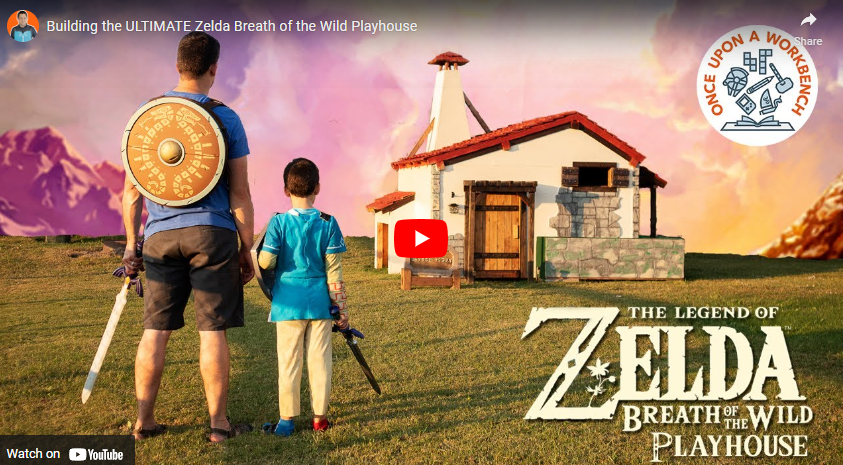
Breath of the wild playhouse

By richardmurray in Game Art
· 1,120 views
Name
Donovan Ewing
Where are you located?
Broken Arrow, OK
What is your day job?
YouTuber/Video Editor, Content producer for Sketchup
Do you attend a makerspace/fablab/hackerspace?
Yes
How did you get started making stuff?
I am an artist and I’ve always wanted to make things with and for my kids. I used to have a blog where I documented projects I made for my kids, such as sewing superhero capes or redesigning a toy chest to look like it’s from the movie Frozen. In 2017 I decided to combine my love of making things for my kids with storytelling, filmmaking, video games, movies, and all things geeky, and start a YouTube channel.
What is something that you’ve made that you’re really proud of?
The projects I end up being most proud of are the ones that get used far past their time in the videos we make
Link’s Playhouse, the Mjolnir mallet, the treasure chest for lost teeth, the Spiderman headphone stand, the Legend of Zelda shop aprons, have all been used almost daily. I love it when projects get used, and not just sitting on a shelf looking good.
READ MORE IN THE ARTICLE LINKED BELOW
Building the ULTIMATE Zelda Breath of the Wild Playhouse, enjoy
Maker Spotlight: Donovan Ewing of Once Upon A Workbench
By Caleb Kraft
August 17th, 2022
ARticle
https://makezine.com/article/maker-news/maker-spotlight-donovan-ewing-of-once-upon-a-workbench/
IN AMENDMENT
How To Build Dream’s Helmet From Sandman For Cosplay
Video
Article
https://makezine.com/article/maker-news/how-to-buld-dreams-helmet-from-sandman-for-cosplay/
Recommended Comments
Join the conversation
You are posting as a guest. If you have an account, sign in now to post with your account.
Note: Your post will require moderator approval before it will be visible.